How Photo Backup Needs Grow Along With Your Photography
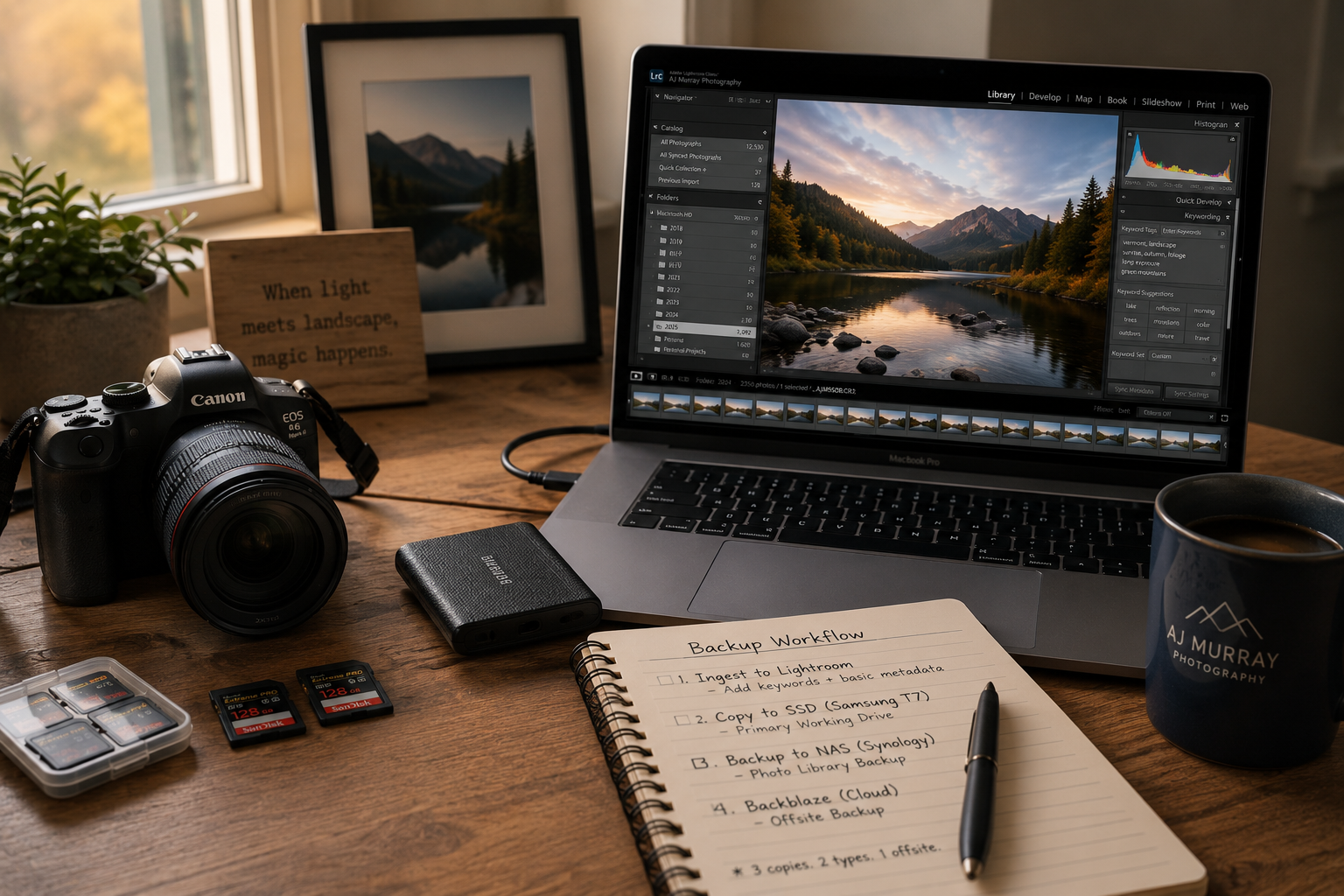
Backing up your photos is rarely something photographers think about on day one. At the beginning, you’re focused on learning the camera, noticing light, and simply enjoying the act of taking pictures. Over time, as your photography grows, your relationship with your photos changes — and so does your need to care for them. Backup workflows tend to evolve alongside a photographer’s journey, not because something went wrong, but because the work itself begins to matter more.
Photography often starts casually, but over time photos begin to hold more meaning than we expect. They represent time spent, attention given, and moments that can’t be repeated. Backups are simply a way of honoring that — not by worrying about worst-case scenarios, but by acknowledging that the work matters.
You’re Not Behind
First of all, you’re not behind on anything. Backups are often an afterthought for most people — usually after something has already been lost, whether it’s photos or other files. When you’re first starting out, your attention is understandably elsewhere. You’re learning your camera, exploring composition, and beginning to notice light. There simply hasn’t been much room yet to think about backing up photos, or what not backing them up might eventually mean.
We also live in a very connected world, where a lot of what we do is backed up automatically by the services we use every day. Photos taken on our phones often sync quietly in the background. Dedicated cameras, on the other hand, aren’t usually as connected. Because of that, backing up photos from a camera becomes something we need to do intentionally — and often later than we expect.
As you grow as a photographer, you naturally start putting more effort into your work. You think more carefully about composition, maybe you begin editing your photos, and suddenly there’s more time and care invested after the shutter is pressed. At that point, the photos themselves start to matter more. It’s only natural that backups become an obvious next step in your photography journey. The fact that you’re thinking about it now — and landed here — is a sign of growth in and of itself.
Getting Started
When you’re first starting out as a photographer, you’re often shooting JPEG and focusing on curiosity rather than preservation. You’re learning your camera, beginning to notice light, and experimenting with composition. You’re out shooting, but you’re probably not keeping a huge number of photos yet — maybe a few favorites from a workshop, an event for friends, or moments that caught your eye. For the most part, the volume still feels manageable.
At this stage of the journey, there’s a simple way to think about whether backing up your photos really matters yet. Imagine losing all of them right now. How does that feel? Is it more of a “meh” reaction — or does it create that sinking, uneasy feeling in your stomach? If it’s the latter, that’s usually a sign that these photos are starting to matter, and it may be time to back them up.
For many people at this stage, simple cloud-sync services, like Dropbox, OneDrive, or Google Drive, can be enough. You can choose specific folders to sync automatically, and as long as your photos live inside one of those folders, they’re stored off your computer as well. This kind of setup won’t protect you from every scenario — for example, deleting a file locally can also remove it from the cloud — but it does protect you from things like a failed, lost, or stolen hard drive. And for getting started, that level of protection is often perfectly reasonable.
Learning & Exploring
In this phase of photography, things start to feel more familiar. You’re more comfortable with the exposure triangle, composition isn’t quite as mysterious, and using your camera comes with less friction than it once did. You may find yourself shooting more often simply because the mechanics no longer get in the way, and the creative part feels easier to access.
This is often the stage where photographers begin to consider shooting in RAW — or have already made that shift. Along with that change comes a growing photo library and a deeper investment in the work itself. Shooting and editing RAW files carries more weight, not just because the files are larger, but because more time and intention are now part of the process.
At this point, backups tend to expand beyond just original photos. Edited versions, catalogs, and other pieces of your workflow start to matter as well. It’s usually here that people begin to feel the limits of very simple backup setups — not because they were wrong before, but because the work has grown.
Intentional Practice
In this phase of your photography journey, you’re shooting with far more intention than you once did. You may be thinking in terms of longer-term projects rather than individual outings, and photography might now include client work, services, or even sales.
When clients enter the picture, backups begin to carry a different kind of weight. It’s common to define how long you’ll retain copies of photos after a project ends — whether that’s one year or several. At that point, backups aren’t just about protecting personal work, but about honoring commitments you’ve made to other people. Losing images you’re actively working on, or work a client may reasonably ask for again, isn’t just inconvenient — it affects trust.
At this stage, backups are protecting more, and they usually require more intention up front. That doesn’t mean they need to be complicated. In fact, a good backup system here should run quietly in the background, giving you confidence that things are being taken care of while you focus on the creative work. Once in place, it’s something you check on occasionally — not something that demands constant attention.
I’ll break down how I approach this stage of backups in more detail in a future guide. For now, it’s enough to recognize that this shift isn’t about fear — it’s about care, continuity, and professionalism.
What Actually Matters
The thing that matters most about backups is that they happen. You may start out manually backing up your photos once a month, or simply after every shoot. There are a ton of ways you can backup up photos but a system that really works is one you keep on using. If the backup process is complex or adds friction then you’ll be less likely to use it in the first place.
The backup system should be easy to understand, it should go to work for you, ideally, when it detects something new or at the very least a scheduled interval.
In the end, it doesn’t need to be perfect, you just need to do it. And, in order to protect your work you need to do it consistently.
Common Traps
It’s very common to approach backups in a couple of ways. Some people dismiss it. They might think “Well, I just bought a brand new laptop, I don’t need to worry about this right now.” In my 20 plus years working in IT I can tell you from first hand experience that hard drives don’t fail eventually, they fail randomly. They can fail in 8 years, or they can fail within the first 8 weeks. Problems with manufacturing, issues with shipping, or other defects can surface early. New hardware does not equal safe hardware.
There’s also never any warning. Hard drives generally fail suddenly, not slowly. One day it mounts, the next it does not. You won’t ever get warning message like “Hey, backup your files, this drive is going to die soon!”
Newer SSDs are not immune either. The SDDs have no moving parts or spinning discs like the older hard drives once did. These are electrical circuits and the memory can only be written a finite number of times. But, the drives can also fail before any theoretical write limits.
The next common trap is that any backup solution, regardless of advertising, is not “set it and forget it.” You should routinely check your backups. It doesn’t have to be daily or even monthly. But schedule time to just double check and make sure that files you think should have been backed up have been. Also occasionally check and make sure that you can restore files and that they are usable. It’s much better to figure that out when the stakes are low, before a loss occurs, rather than after a loss.
Free Tools You Can Use
Getting started doesn’t need to be complicated. A backup of some kind is better than no backup at all. I’m sure you came to this article looking for ways to get started so let me leave with this:
FreeFileSync - Free file sync utility that works on both MacOS and Windows. If you store your photos to an external drive get a second external drive and use this tool to sync the drives together.
Amazon Photos - This is free for all Amazon Prime members. You can backup Unlimited photo files - including RAW images.
In a future blog article I’ll show you my exact photography backup process. It’s mostly hands free and gives me a great amount of confidence that my photos are backed up. I worry less about backing up my photos so I can focus more on my working and delivering for my clients!